
From ClickOps to ChatOps
May 15, 2026 | by Maximilian Kaske | [engineering]

Dashboards are great until you've clicked the same four buttons thirty times this week. The job was always "tell me which monitors are flaky" — not "navigate three nested tabs to find out". So we did the obvious-in-2026 thing: we glued an LLM to our existing service layer and called it Assistant.
It lives at /chat in the dashboard. Type. Hit enter. Watch openstatus assistant do the clicking.
Or anywhere else you already chat — the same tools are exposed over MCP, so you can drive openstatus from Claude Desktop, Claude Code, ChatGPT, Codex, opencode, Cursor, or any other MCP-compatible client. One tool registry, two front doors.
PS: if you're allergic to clicking and chatting, we also have Terraform for full GitOps. ClickOps · ChatOps · GitOps — the trifecta is complete.
The pitch, in one paragraph
Assistant sits on top of the same service verbs that already power the dashboard, the API, and the MCP server. Same workspace scoping. Same audit log. Same read/write scopes. Just… a chat box. You're not bypassing the product — you're driving it from the passenger seat.
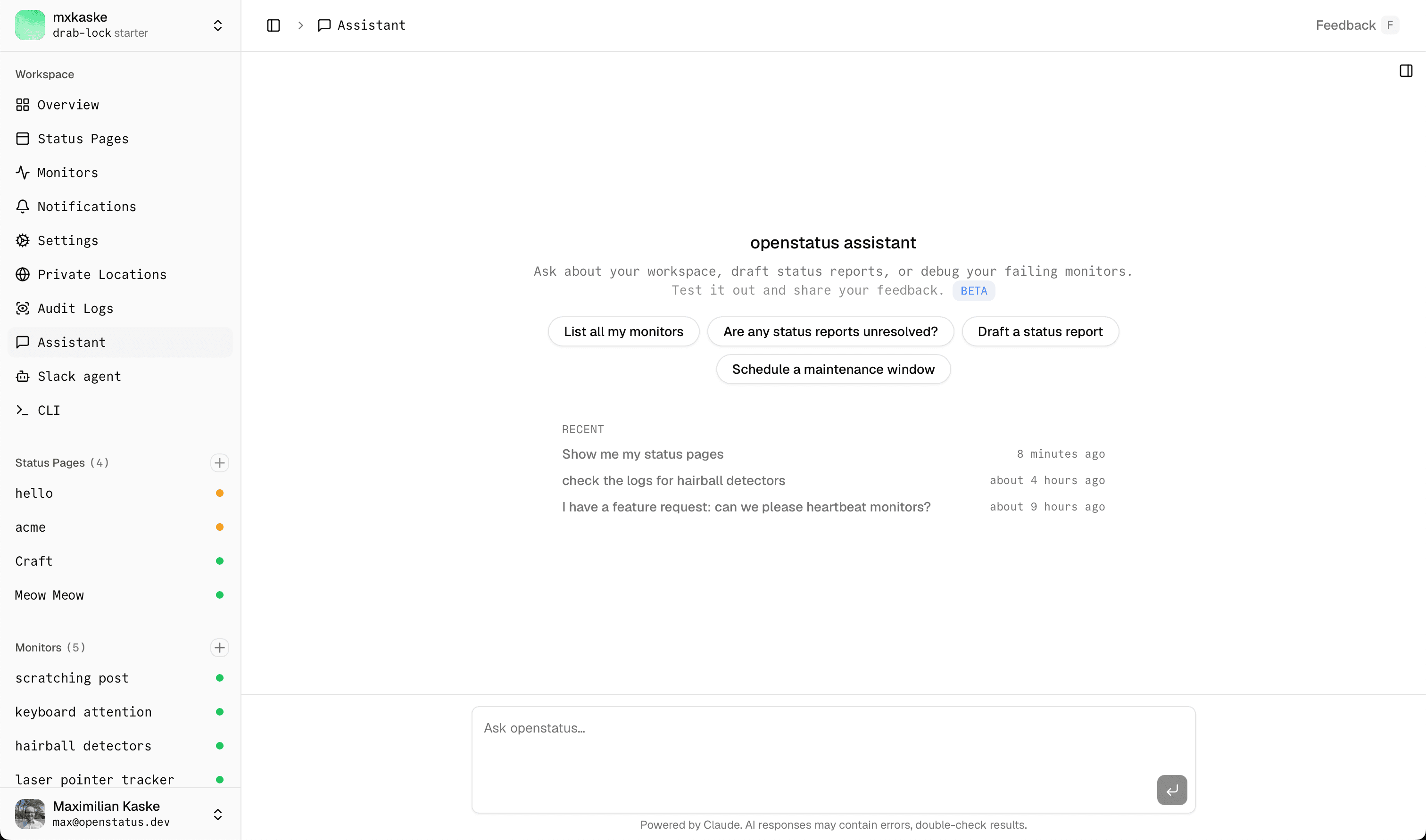
What you can ask it
Type the question, watch the tool calls roll in.
- "Which monitors degraded in the last hour?"
- "Show me the recent response logs for the checkout monitor."
- "Create an incident on the public status page — checkout API is throwing 502s."
- "Resolve it."
- "Schedule maintenance Sunday 02:00–04:00 UTC for the API monitor."
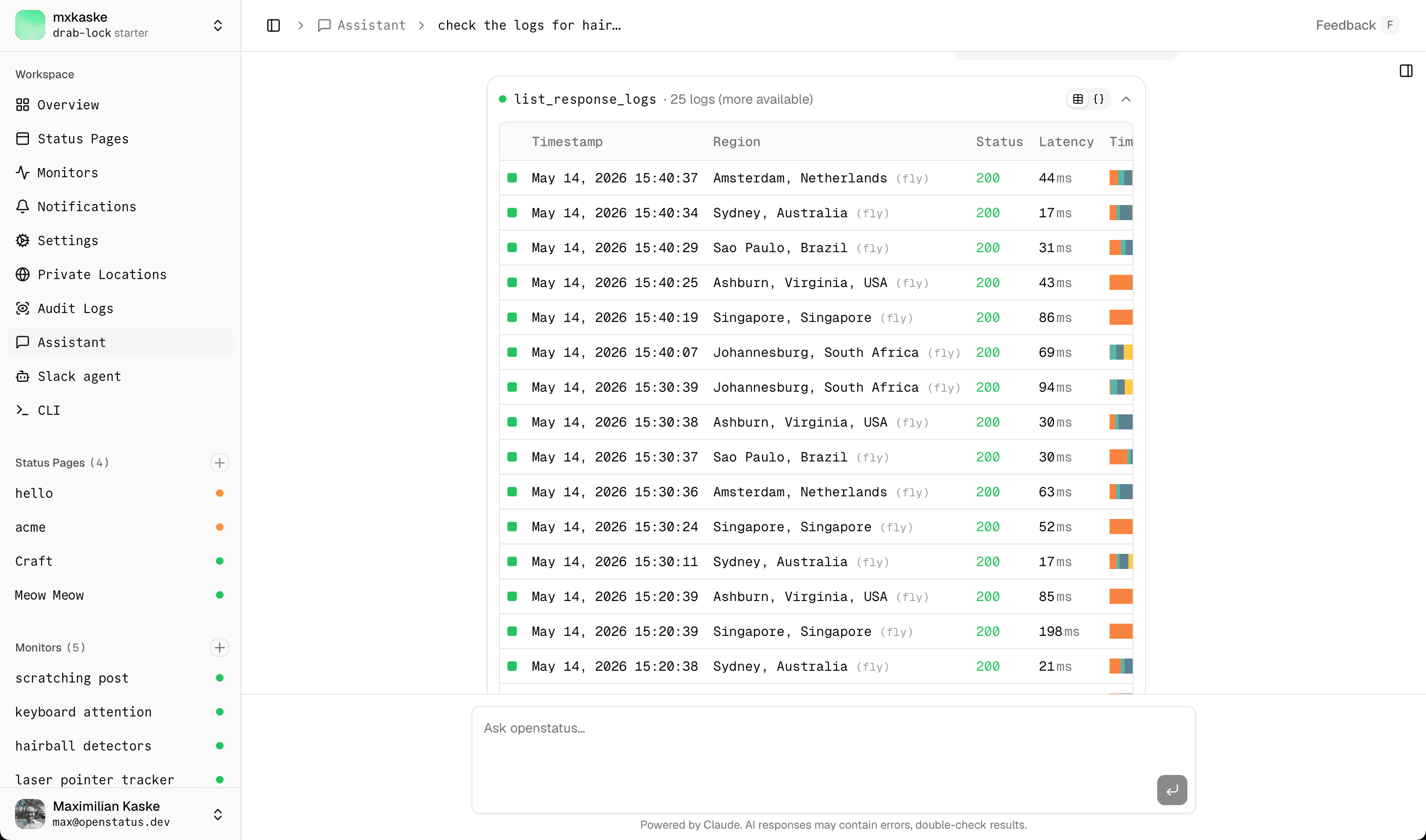
The model has context for your workspace — your monitors, your status pages, your notifications — so you don't have to feed it IDs. Speak in nouns; the agent figures out the verbs.
The toolbox
There are eighteen tools today, split into two camps.
Read tools fire immediately. No approval needed — they only ever query.
list_status_pages·list_page_components·list_status_reports·list_maintenanceslist_monitors·list_notifications·list_response_logs·list_audit_logsget_monitor·get_monitor_status·get_monitor_summary·get_response_log·get_audit_log
Write tools always pause on a human-in-the-loop approval card before touching the database.
create_status_report·add_status_report_update·update_status_report·resolve_status_reportcreate_maintenance
All eighteen are declared once in @openstatus/services/agent-tools. The same registry powers the chat UI and the MCP server — shape-equivalence tests keep them honest. We'll add more (notification CRUD, monitor mutations, status-page editing) as we go.
The pretty part — how a tool call renders
This is the bit we obsessed over.
Every tool call is a collapsible card with three things happening at once.
1. A status dot
It pulses while the model is thinking, turns green on success, amber while waiting on your approval, red on error, grey when you've cancelled it.
2. A one-line summary
So you skim the conversation instead of reading JSON.
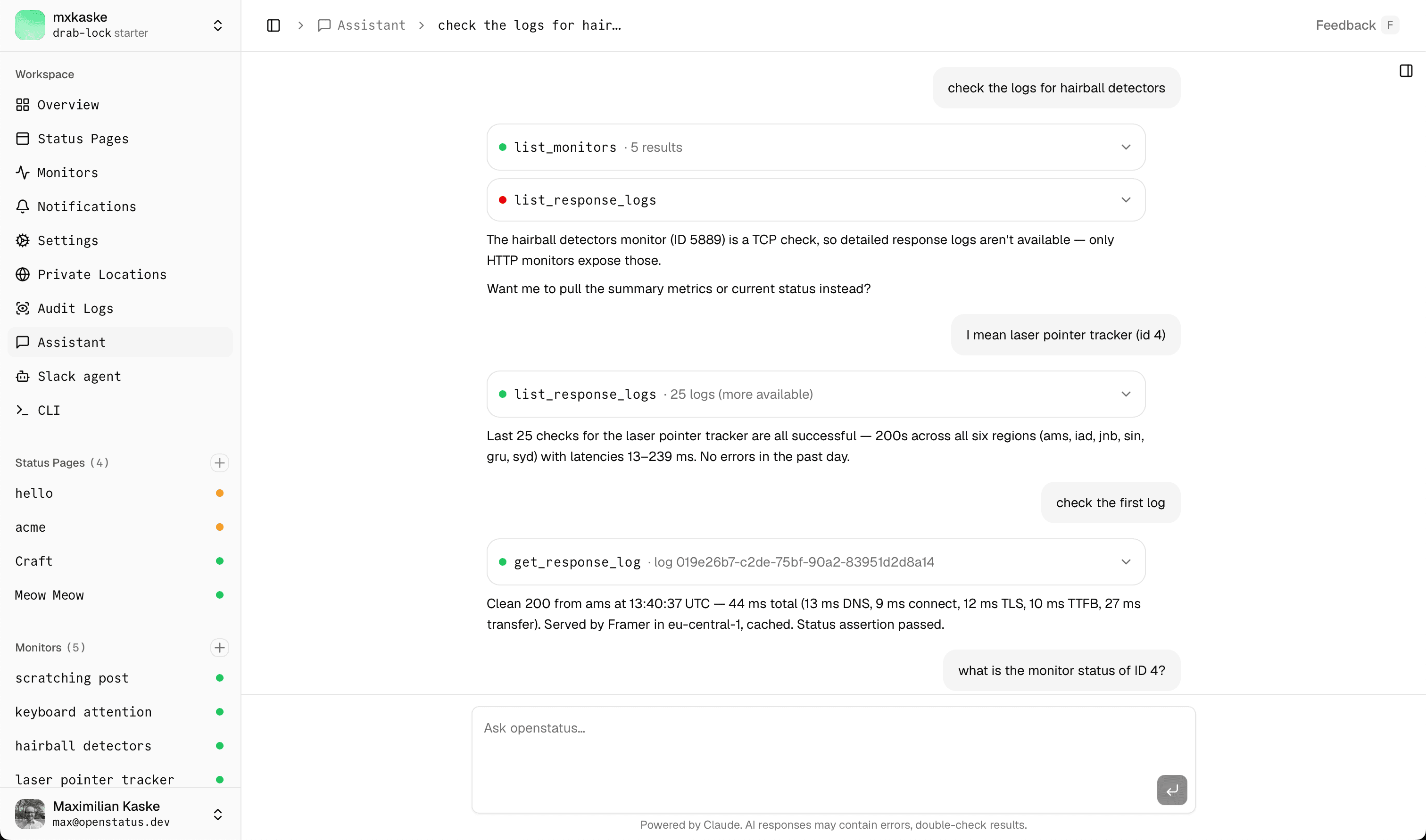
list_monitors · 12 results. get_monitor_summary · 4322 checks · p95 184ms. create_status_report · ID 4711. The summary is per-tool, hand-tuned, optimised for "what would I want to see if I were scrolling past this".
3. A rich-vs-raw view toggle
Click the card open and you get two tabs.
The Rich tab renders the result as a real React table — the same ResultTable, DetailsTable, and ChangesTable primitives the dashboard uses everywhere else. A monitor row in chat looks similar to a monitor row on the monitors page.
The Raw tab shows you the JSON Parameters (what the model sent) and Result (what it got back). For when you don't trust the pretty version. Or when you're debugging the tool itself. Or when you just want to see what's really under there.
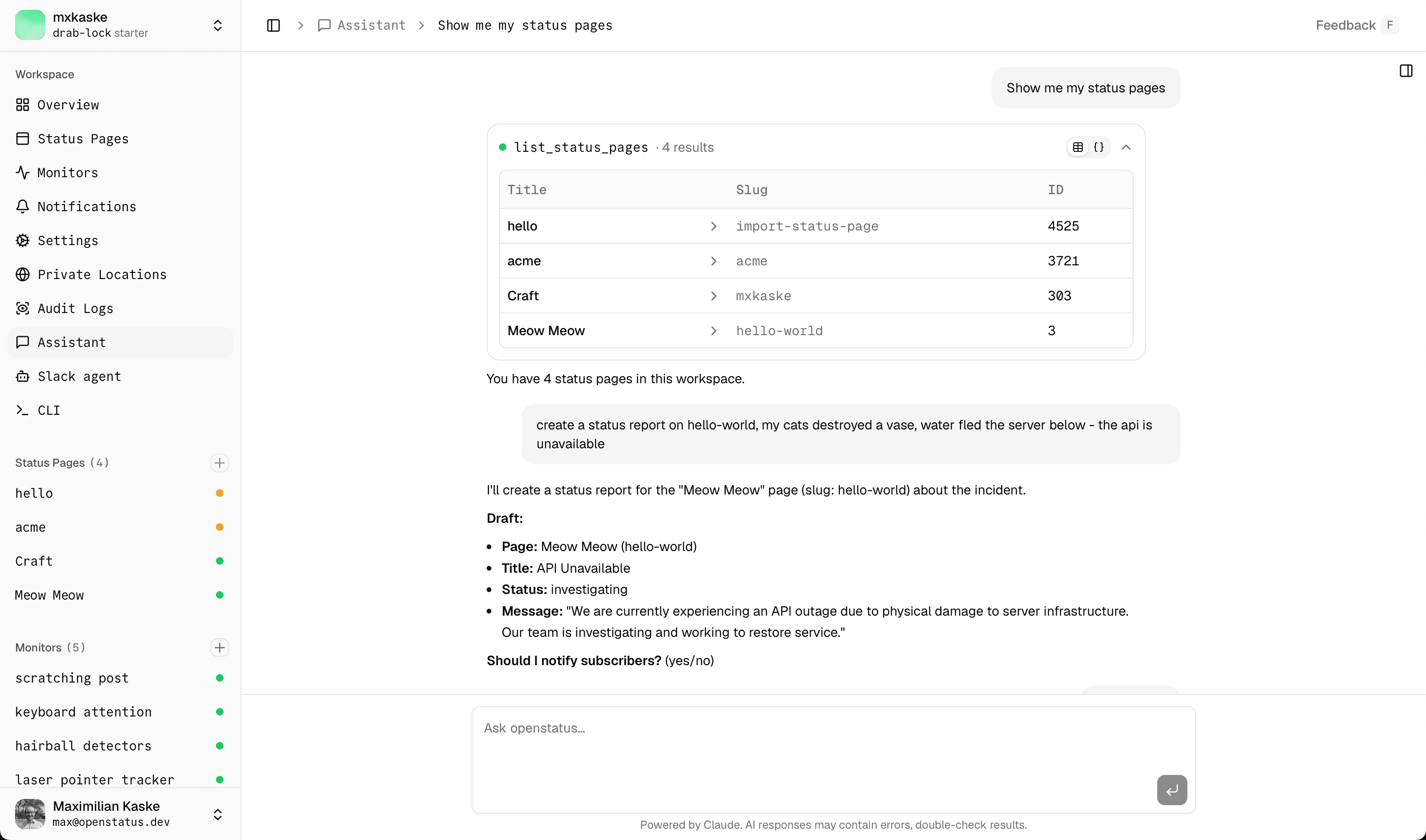
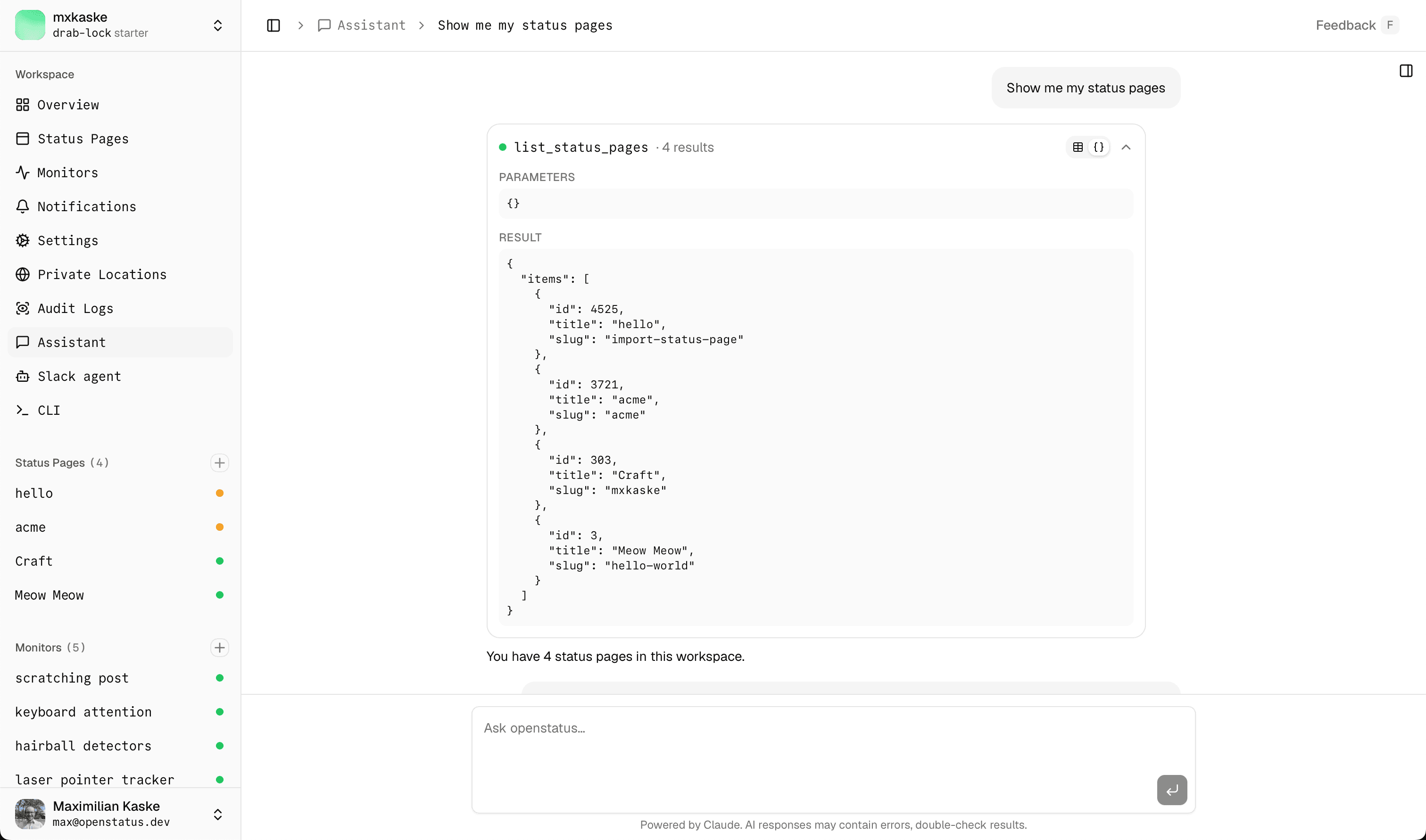
We default to Rich. The toggle remembers itself for the next card.
Human-in-the-loop, but make it keyboard
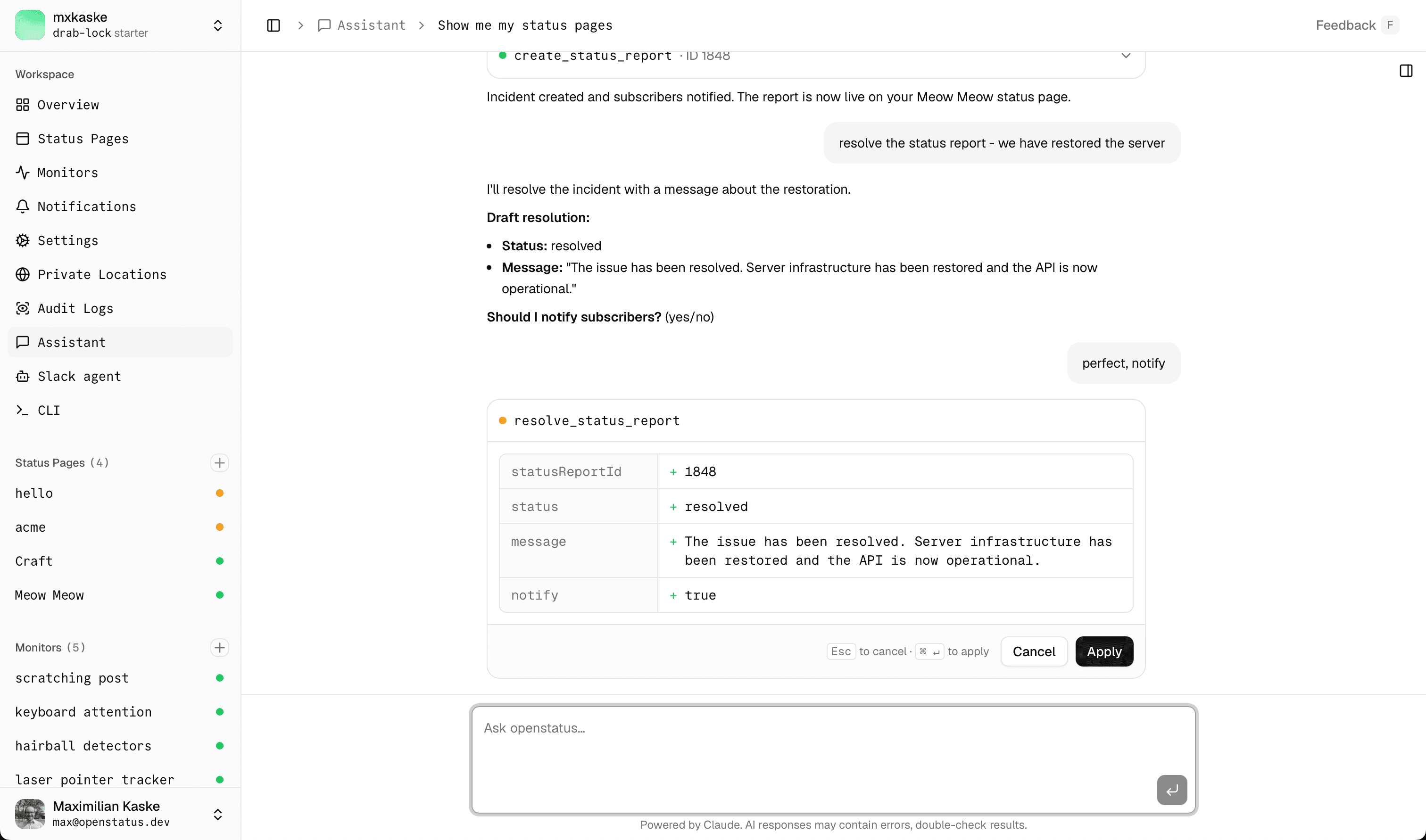
Every write tool pauses on an approval card before committing anything.
The card shows you the change as a diff — not a wall of JSON. Title, status, target page, message: each one a row, each one auditable in your head before you commit. ⌘↵ to apply. Esc to cancel. Or click the buttons if you're a mouse person, we won't judge.
If you cancel, the card writes an output-denied part into the transcript with your reason. The model sees it, apologises (sometimes), tries again.
If you approve, the same diff stays in the conversation as the receipt — except now with the new id and createdAt filled in.
The AI cannot publish anything without explicit human approval. Same pattern as our Slack agent — it's earned its keep there, and we're glad to lean on it again.
Under the hood
For the engineers in the room — here's the stack.
Vercel AI SDK runs the agent loop. We use Claude Sonnet by default; tool parts stream into the UI as they go, so you see the status dot pulse and the summary fill in live.
One tool registry, two frontends. Every tool lives in packages/services/src/agent-tools/. Each entry has a Zod schema, a service-verb call, and a scope: 'read' | 'write' flag. The chat UI consumes the registry over Next.js Edge tRPC. The MCP server consumes the same registry over HTTP. A shape-equivalence test suite asserts that both surfaces see the same inputs and outputs.
Edge-safe by construction. All service code avoids node:* imports, because the same verbs run on Next.js Edge and on our Hono backend. No "works locally, breaks in production" surprises.
RBAC scopes. Read-only API keys see only read tools. Write tools refuse to register for them — not "they see them and 403", they don't exist in tools/list. Same requireScope('write') guard that already gates the V1 API.
Audit log. Every successful mutation emits an audit_log row inside the same transaction as the write. Your AI sidekick leaves footprints. So do you.
Per-tool renderers are typed. The renderer registry in tool-renderers/index.tsx is keyed by the AgentToolName union — adding a tool to the agent without a matching renderer is a TypeScript error. No silent JSON fallbacks ship to prod by accident.
Bring your own agent
Don't like our chat UI? That's fine. The exact same tools are exposed over MCP at https://api.openstatus.dev/mcp. Same scope rules. Same audit log. Same shape-equivalence tests keeping it honest.
Step-by-step setup guides:
- Connect openstatus to Claude Desktop
- Connect openstatus to Claude Code
- Connect openstatus to ChatGPT
- Connect openstatus to Codex
- Connect openstatus to opencode
Anything else that speaks MCP — Cursor, ChatGPT custom connectors, Zed, LangChain, your own rig — works the same way.
The chat UI is the reference frontend. The agent layer is the product.
Try it
Open the dashboard > Assistant in the sidebar. Ask it something obvious first ("list my monitors"). Then ask it something you'd normally have to click for.
The dashboard you already pay for, now with a mouth. We think you'll like it.
Try the assistant from your openstatus dashboard — and tell us what you broke.