
How to Auto-Post Status Updates to X and Bluesky
Problem
When you publish a status report or schedule maintenance, you also want to announce it on X (formerly Twitter) and Bluesky — without copy-pasting the same message into each app every time.
Solution
statuspage-socials-notifier is a small open-source Hono service that receives the openstatus webhook payload and cross-posts each update to your X and Bluesky accounts. You add it as a webhook subscriber on your status page, and it does the rest.
This guide walks through collecting the credentials it needs and deploying it.
Prerequisites
- An openstatus account with a configured status page.
- An X developer account with write access.
- A Bluesky account.
- A deploy target — this guide uses Vercel; Fly.io and Railway are also supported.
Environment variables
The service is configured entirely through environment variables.
| Variable | Required | Purpose |
|---|---|---|
OPENSTATUS_WEBHOOK_TOKEN | No | Shared secret the webhook must send as Authorization: Bearer <token>. |
BLUESKY_IDENTIFIER | No | Your Bluesky handle or email (e.g. acme.bsky.social). |
BLUESKY_APP_PASSWORD | No | A Bluesky App Password (not your account password). |
X_API_KEY | No | X app API key (OAuth 1.0a). |
X_API_SECRET | No | X app API secret. |
X_ACCESS_TOKEN | No | X user access token. |
X_ACCESS_SECRET | No | X user access token secret. |
POST_ON_STATUSES | No | Comma-separated statuses to post on (e.g. investigating,resolved). Defaults to all. |
POST_MAINTENANCE | No | Set to true to also post scheduled maintenance. |
PORT | No | Server port. Defaults to 3000 (ignored on serverless platforms). |
Step-by-step guide
1. Generate a webhook token
Pick any sufficiently random string — this is the shared secret between openstatus and your service. It is not required but recommended to keep the endpoint authenticated. For example:
openssl rand -hex 32
Save it as OPENSTATUS_WEBHOOK_TOKEN. You'll reuse the same value when you create the subscriber in step 5.
2. Create a Bluesky App Password
App Passwords let an app post on your behalf without exposing your real password.
- In Bluesky, open Settings.
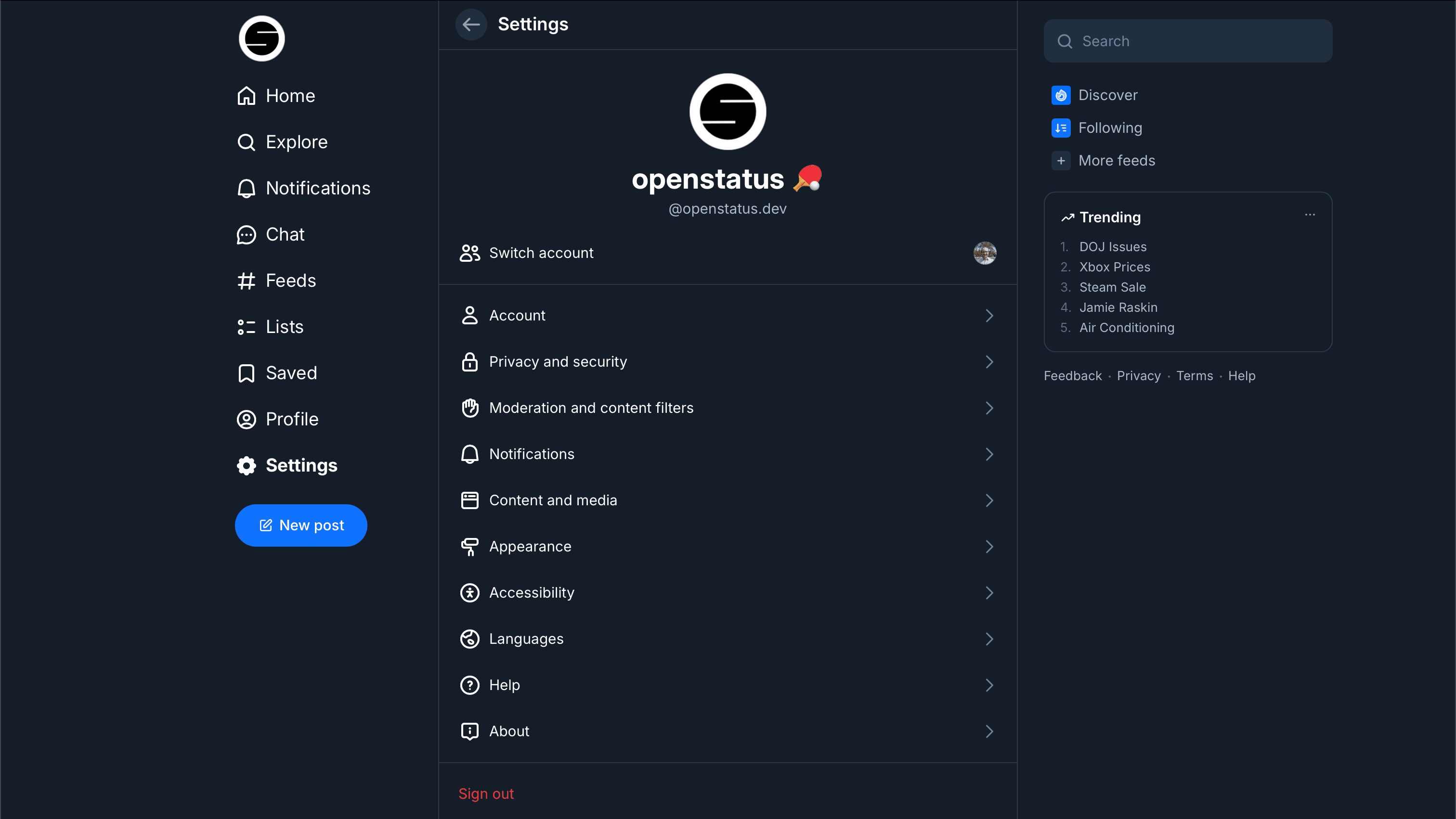
- Go to Privacy and Security and click App passwords.
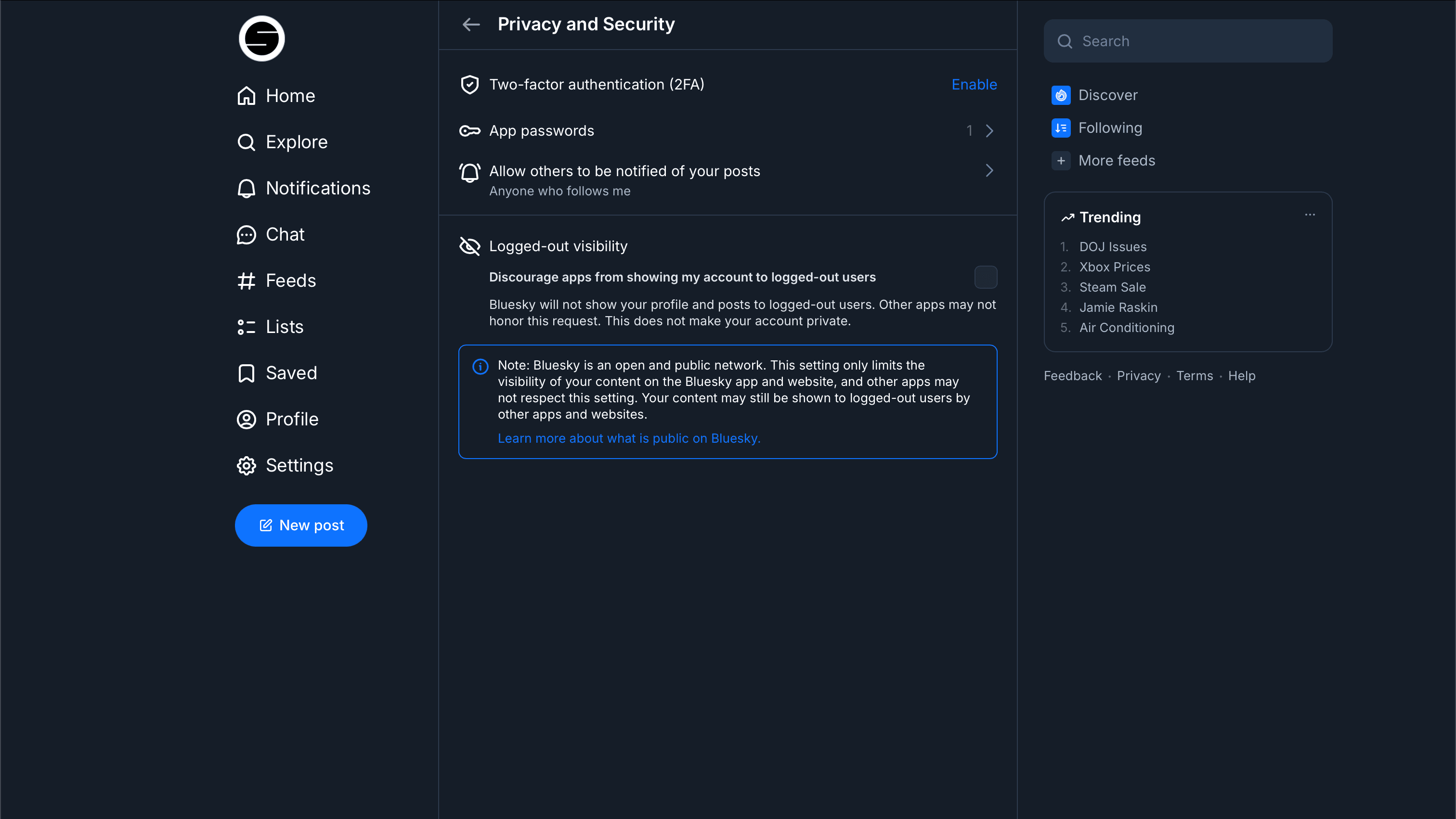
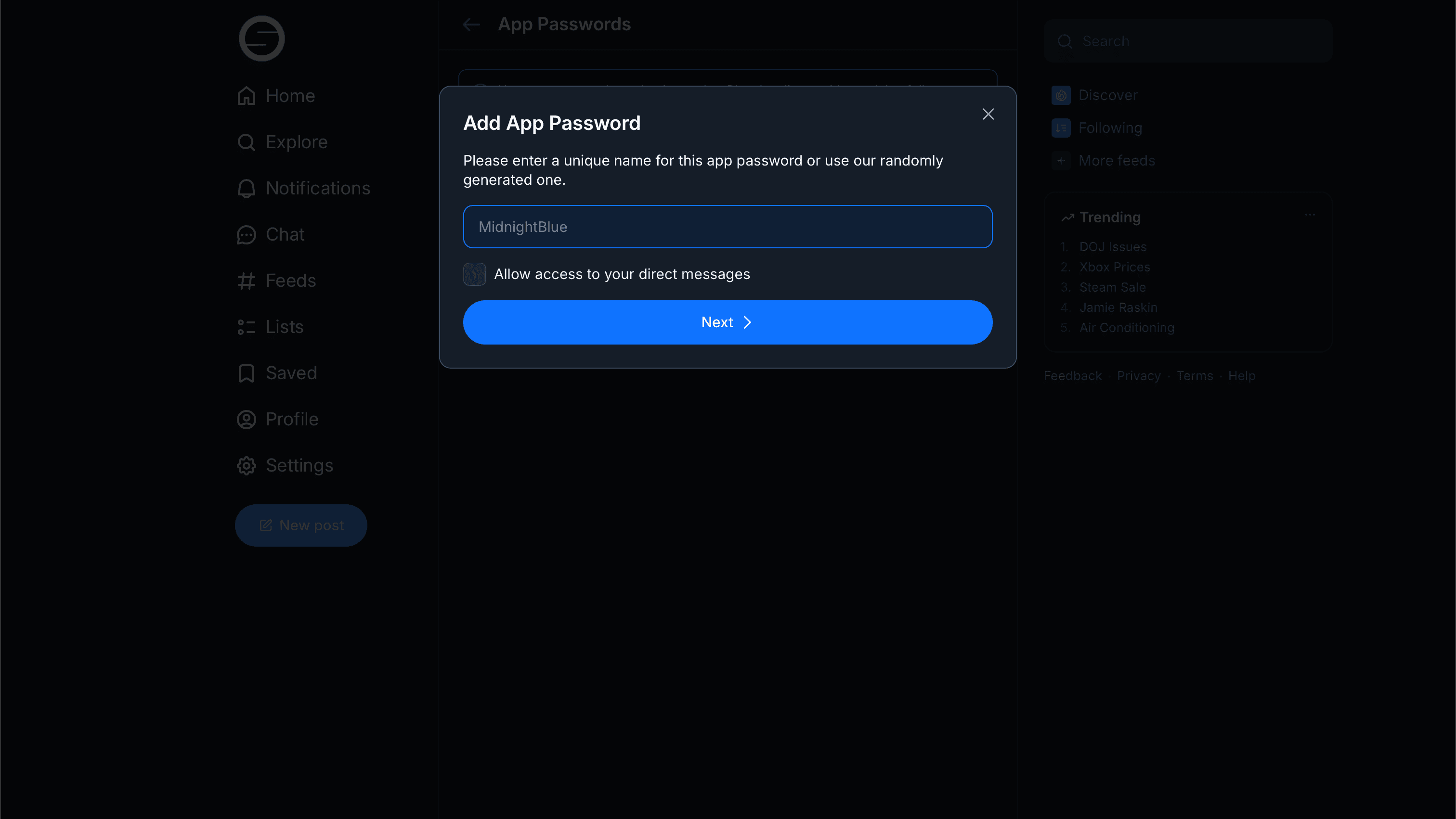
- Click Add App Password and give it a name (e.g.
openstatus-notifier).
- Copy the generated password — Bluesky won't show it again.
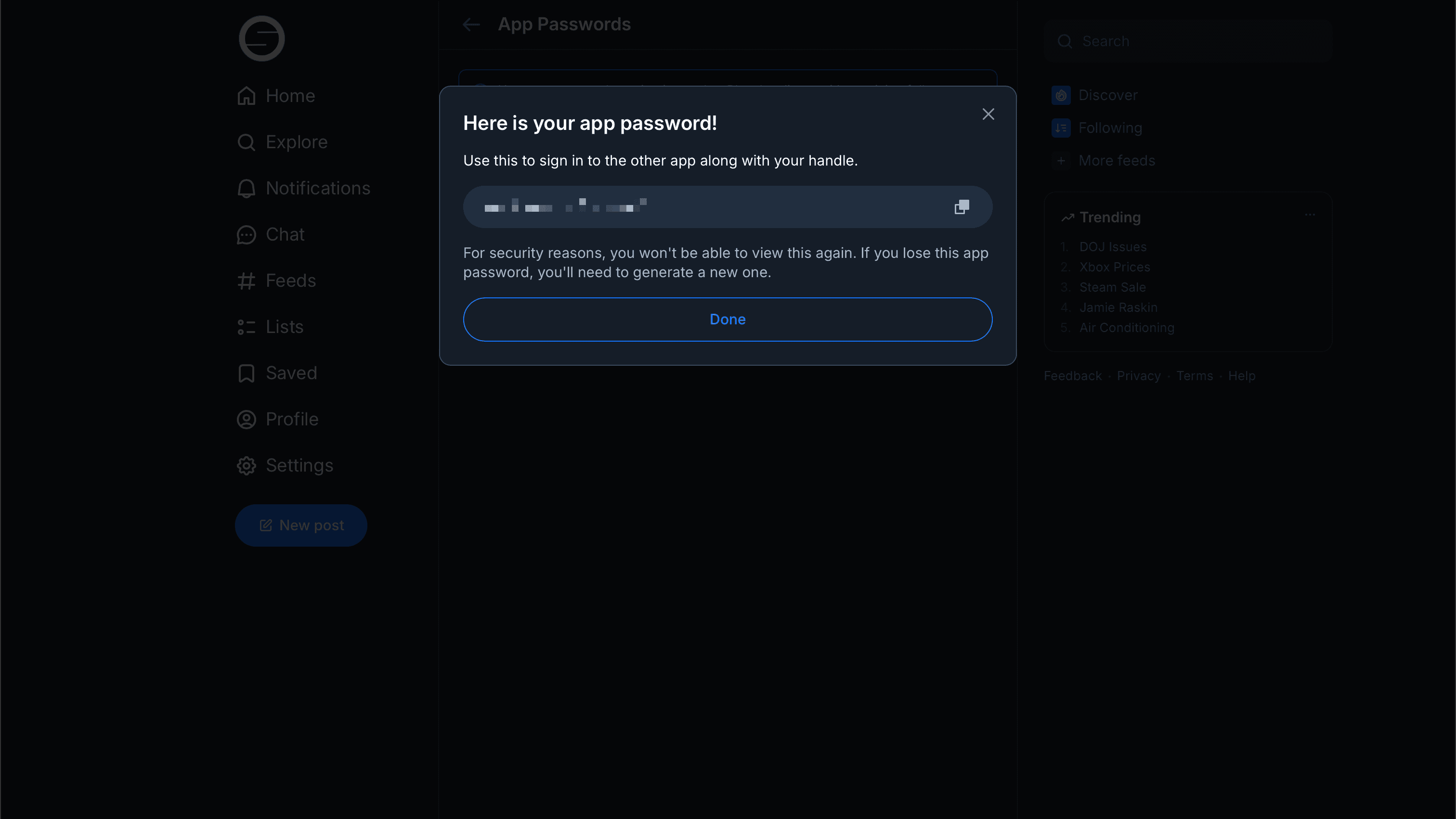
Set BLUESKY_IDENTIFIER to your handle (e.g. acme.bsky.social) and BLUESKY_APP_PASSWORD to the value you just copied.
3. Create an X app and access tokens
- Open the X Developer Portal and go to Apps.
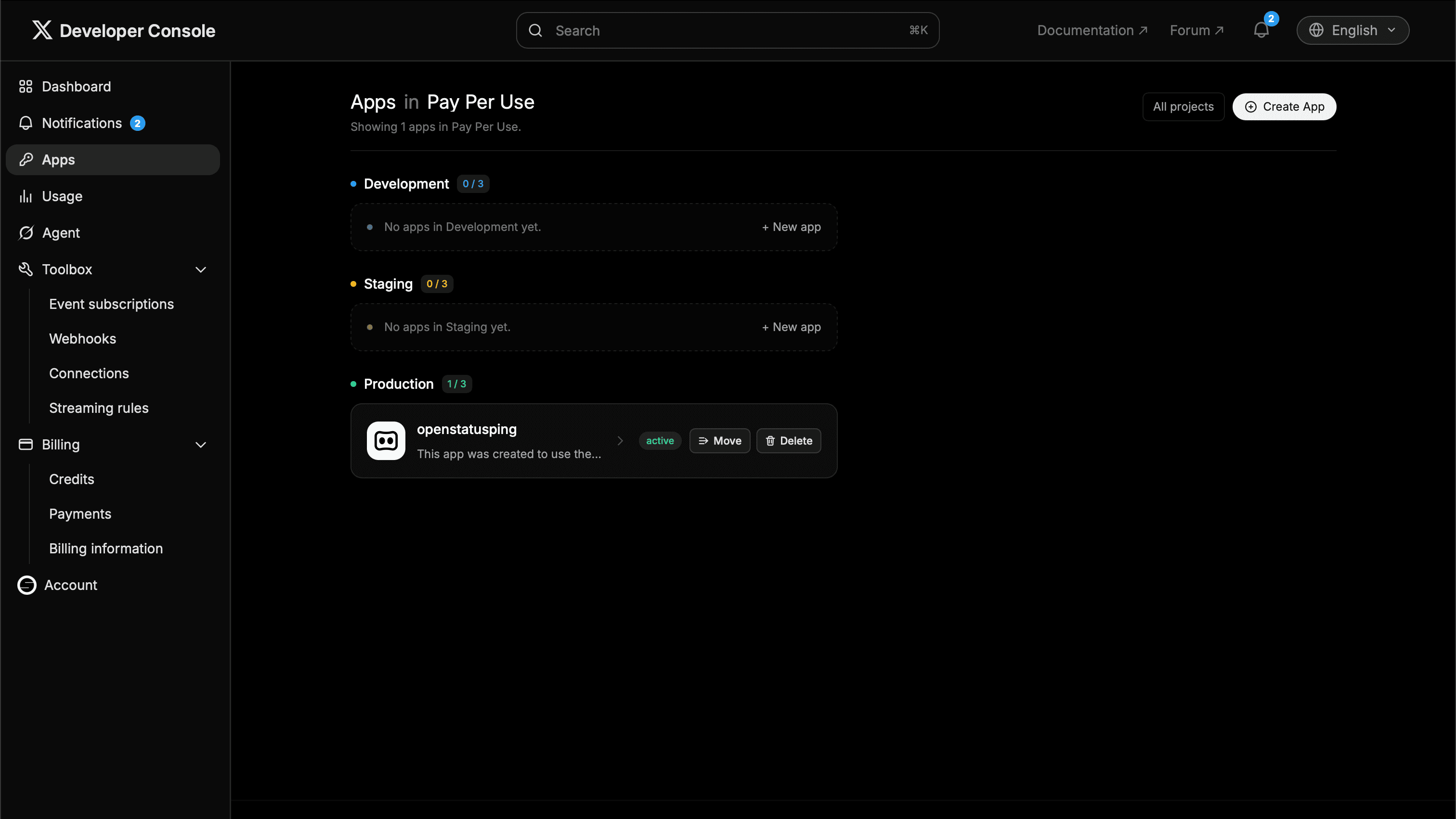
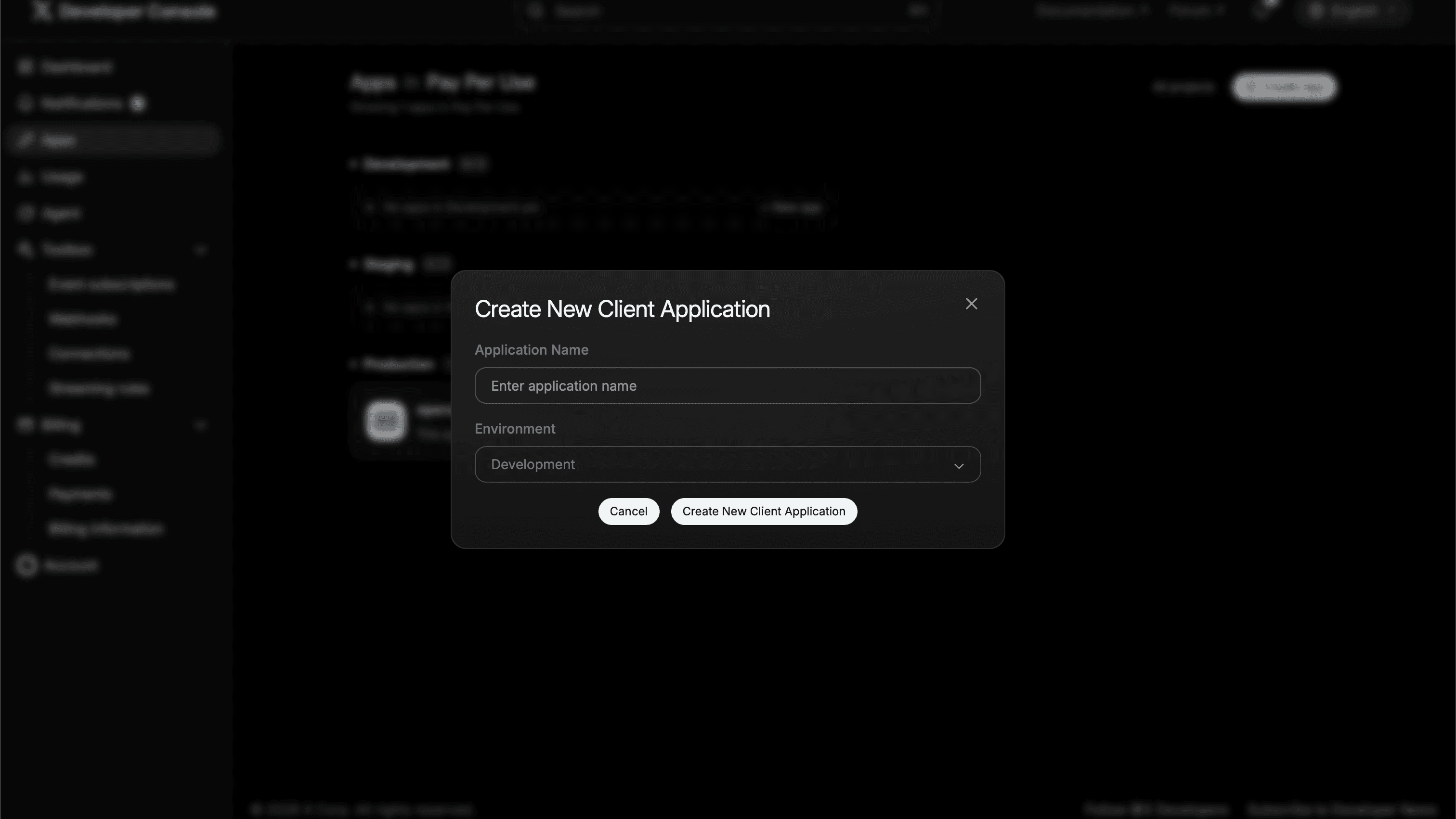
- Click Create App, give it a name, and pick an environment.
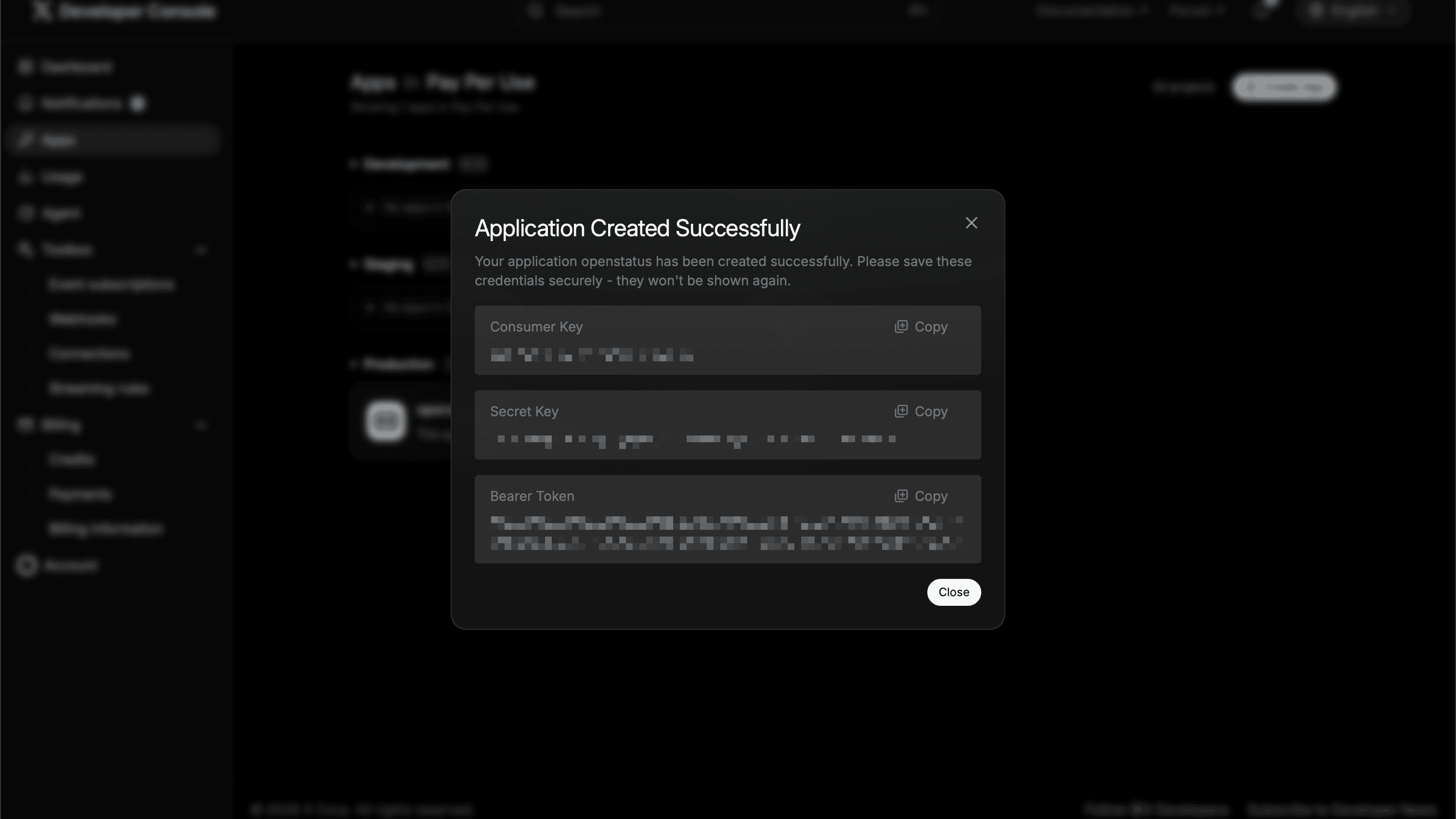
- On creation, X shows your Consumer Key and Secret Key once — copy them to
X_API_KEYandX_API_SECRET.
- Open the app's Keys & Tokens tab. Under User authentication settings, enable OAuth 1.0a with Read and write permissions, then generate an Access Token and Secret.
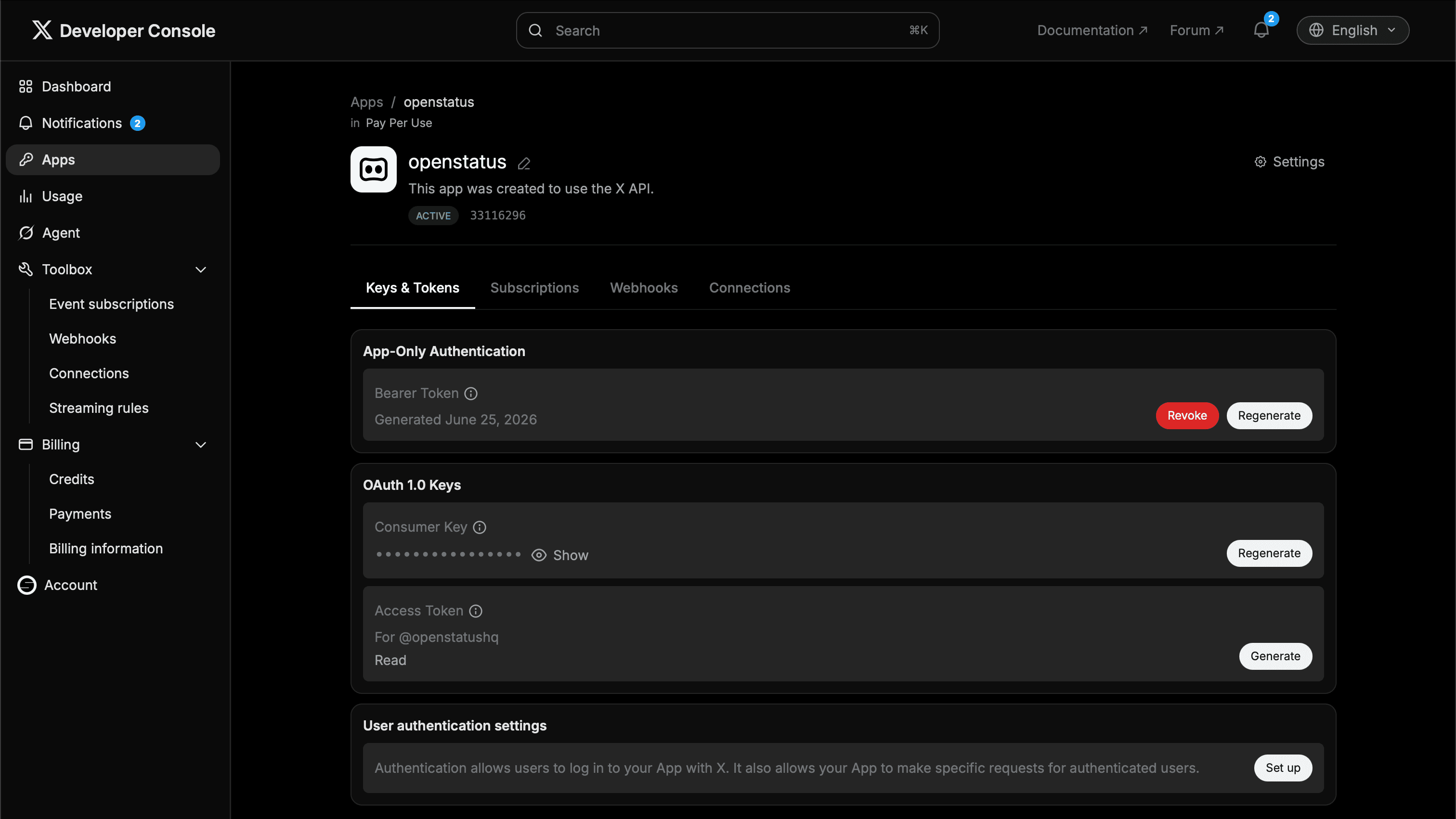
- Copy the Access Token and Access Token Secret to
X_ACCESS_TOKENandX_ACCESS_SECRET— they're shown only once.
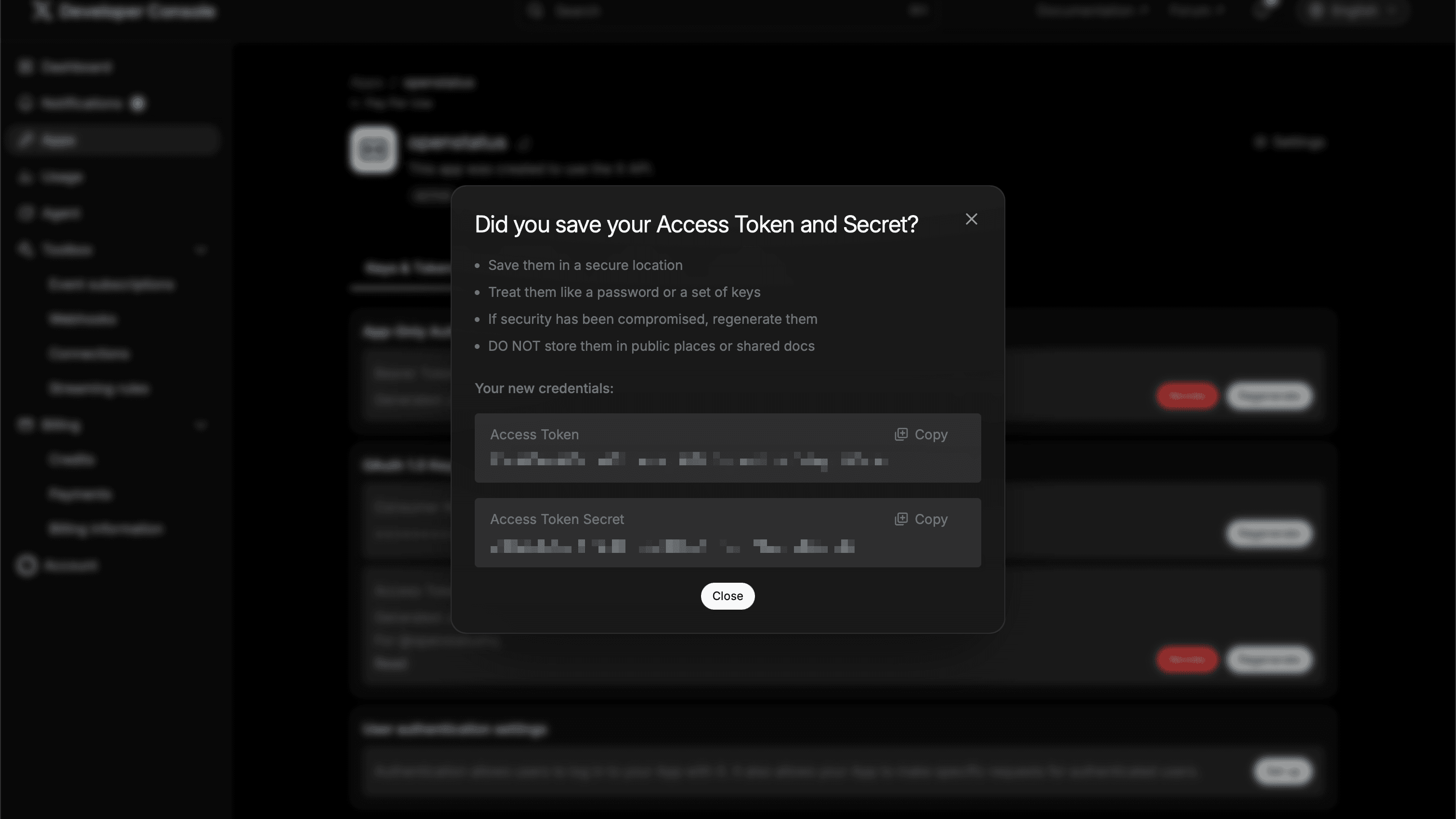
Make sure the access token is generated after you set Read and write permissions — otherwise posts will fail with a permissions error.
4. Deploy the service
Fork or clone the repository, then deploy it to your platform of choice.
Vercel
- In Vercel, click Add New > Project and import your fork.
- Add every variable from the table above under Settings > Environment Variables.
- Click Deploy. Your webhook endpoint will be available at
https://<your-project>.vercel.app/webhook.
Fly.io
The repo ships a preconfigured fly.toml. Set each variable as a secret, then deploy:
fly secrets set OPENSTATUS_WEBHOOK_TOKEN=... BLUESKY_IDENTIFIER=... BLUESKY_APP_PASSWORD=... \
  X_API_KEY=... X_API_SECRET=... X_ACCESS_TOKEN=... X_ACCESS_SECRET=...
fly deploy
Railway
Import the repo (Railway auto-detects the Dockerfile) and add the environment variables in the project dashboard.
These platforms scale to zero, so the first request after an idle period incurs a ~1–2s cold start. That fits inside openstatus' 5s webhook timeout, and failed deliveries are retried up to 3 times with exponential backoff — so a cold start may delay, but won't drop, the first post.
5. Add the webhook subscriber in openstatus
- In the dashboard, open your status page and go to Subscribers.
- Add a subscriber with channel Webhook and set the URL to your deployed endpoint, e.g.
https://<your-project-url>/webhook. - Add a request header
Authorizationwith valueBearer <OPENSTATUS_WEBHOOK_TOKEN>(the token from step 1).
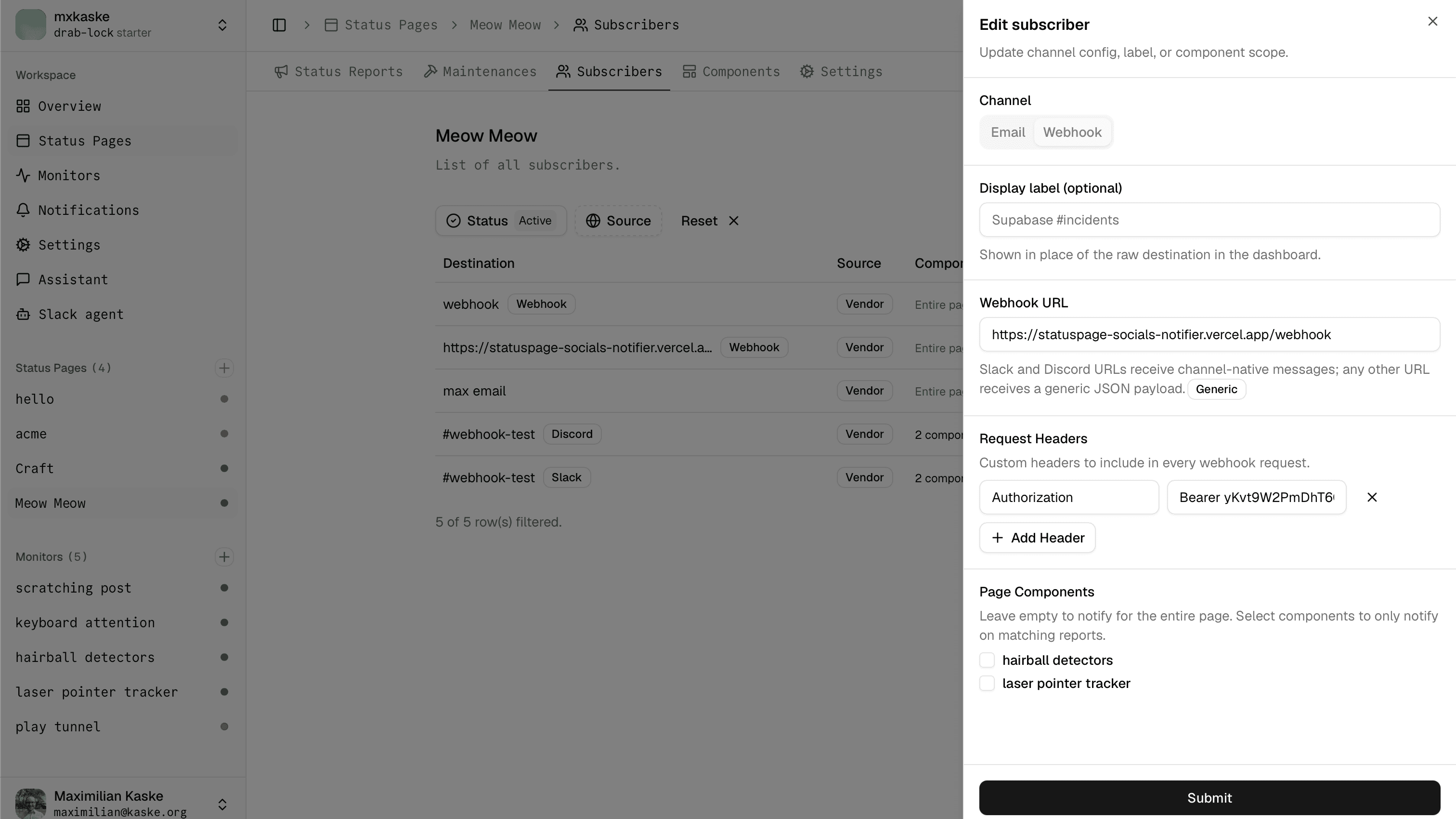
Because the destination isn't a Slack or Discord URL, openstatus sends the generic JSON payload, which the notifier knows how to parse.
6. Test it
Use the subscriber's Send test action to verify connectivity — openstatus delivers a type: "test" payload, which the notifier ignores (it only posts real events), so check your service logs for the received request rather than your social accounts.
To verify end-to-end posting, publish a status report on your page. Within a couple of seconds you should see the update appear on both your X and Bluesky accounts.
Related resources
- Subscriber reference — how subscribers and webhook payloads work.
- statuspage-socials-notifier — source code and configuration reference.